メインコンテンツへスキップ
Hugging Face Diffusers は、画像やオーディオ、さらには分子の3D構造まで生成できる、最先端の事前学習済み拡散モデル向けの定番ライブラリです。W&B インテグレーションを使うと、その使いやすさを損なうことなく、豊富で柔軟な実験管理、メディアの可視化、パイプラインアーキテクチャ、設定管理を、インタラクティブな一元管理ダッシュボードで利用できます。

たった2行で高度なロギング

たった2行のコードを追加するだけで、実験に関連するすべてのプロンプト、ネガティブプロンプト、生成されたメディア、設定をログできます。ロギングを開始するための2行のコードを以下に示します。
# autolog関数をimportする
from wandb.integration.diffusers import autolog

# パイプラインを呼び出す前にautologを呼び出す
autolog(init=dict(project="diffusers_logging"))
実験結果のログ記録

Get started

  1. diffuserstransformersacceleratewandb をインストールします。
    • コマンドライン:
      pip install --upgrade diffusers transformers accelerate wandb
      
    • ノートブック:
      !pip install --upgrade diffusers transformers accelerate wandb
      
  2. autolog を使用して W&B Run を初期化し、サポートされているすべてのパイプライン呼び出しの入力と出力を自動的にトラッキングします。 autolog() 関数は init パラメーター付きで呼び出すことができ、このパラメーターには wandb.init() に必要なパラメーターを含む辞書を指定します。 autolog() を呼び出すと、W&B Run が初期化され、サポートされているすべてのパイプライン呼び出しの入力と出力が自動的にトラッキングされます。
    • 各パイプライン呼び出しは、Workspace 内のそれぞれ専用のにトラッキングされ、その呼び出しに関連付けられた設定は、その run の設定内にあるワークフローのリストに追加されます。
    • プロンプト、ネガティブプロンプト、生成されたメディアは wandb.Table にログされます。
    • seed やパイプラインアーキテクチャを含む、実験 に関連するその他すべての設定は、その run の config セクションに保存されます。
    • 各パイプライン呼び出しで生成されたメディアも、run 内のメディアパネルにログされます。
    サポートされているパイプライン呼び出しの一覧を確認できます。このインテグレーションの新機能をリクエストしたい場合や、関連する bug を報告したい場合は、W&B GitHub issues page で issue を作成してください。

オートロギング

以下は、autolog が実際にどのように動作するかを示す、簡単なエンドツーエンドの例です。
import torch
from diffusers import DiffusionPipeline

# autolog 関数をインポートする
from wandb.integration.diffusers import autolog

# パイプラインを呼び出す前に autolog を呼び出す
autolog(init=dict(project="diffusers_logging"))

# Diffusion パイプラインを初期化する
pipeline = DiffusionPipeline.from_pretrained(
    "stabilityai/stable-diffusion-2-1", torch_dtype=torch.float16
).to("cuda")

# プロンプト、ネガティブプロンプト、シードを定義する
prompt = ["a photograph of an astronaut riding a horse", "a photograph of a dragon"]
negative_prompt = ["ugly, deformed", "ugly, deformed"]
generator = torch.Generator(device="cpu").manual_seed(10)

# パイプラインを呼び出して画像を生成する
images = pipeline(
    prompt,
    negative_prompt=negative_prompt,
    num_images_per_prompt=2,
    generator=generator,
)
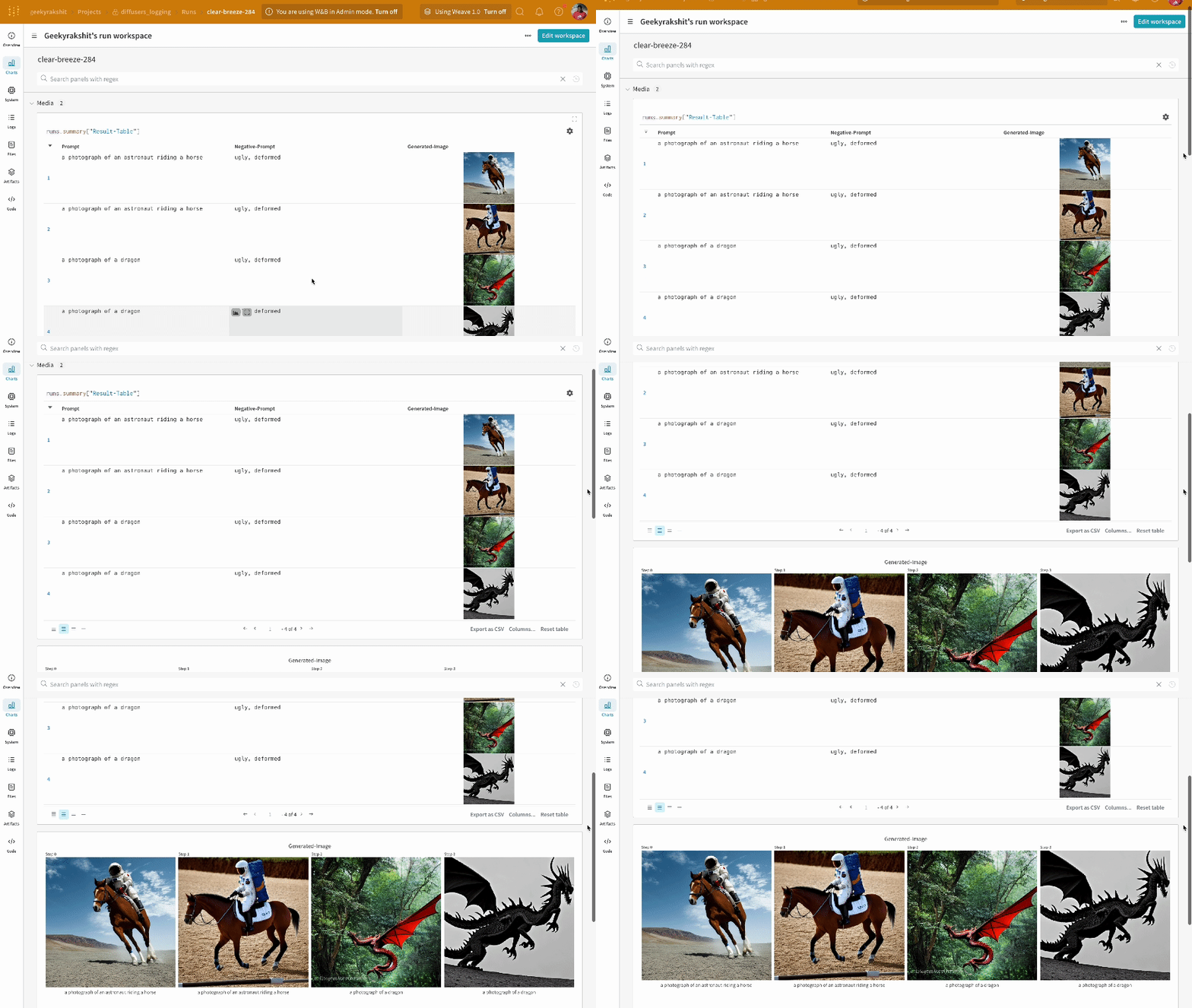
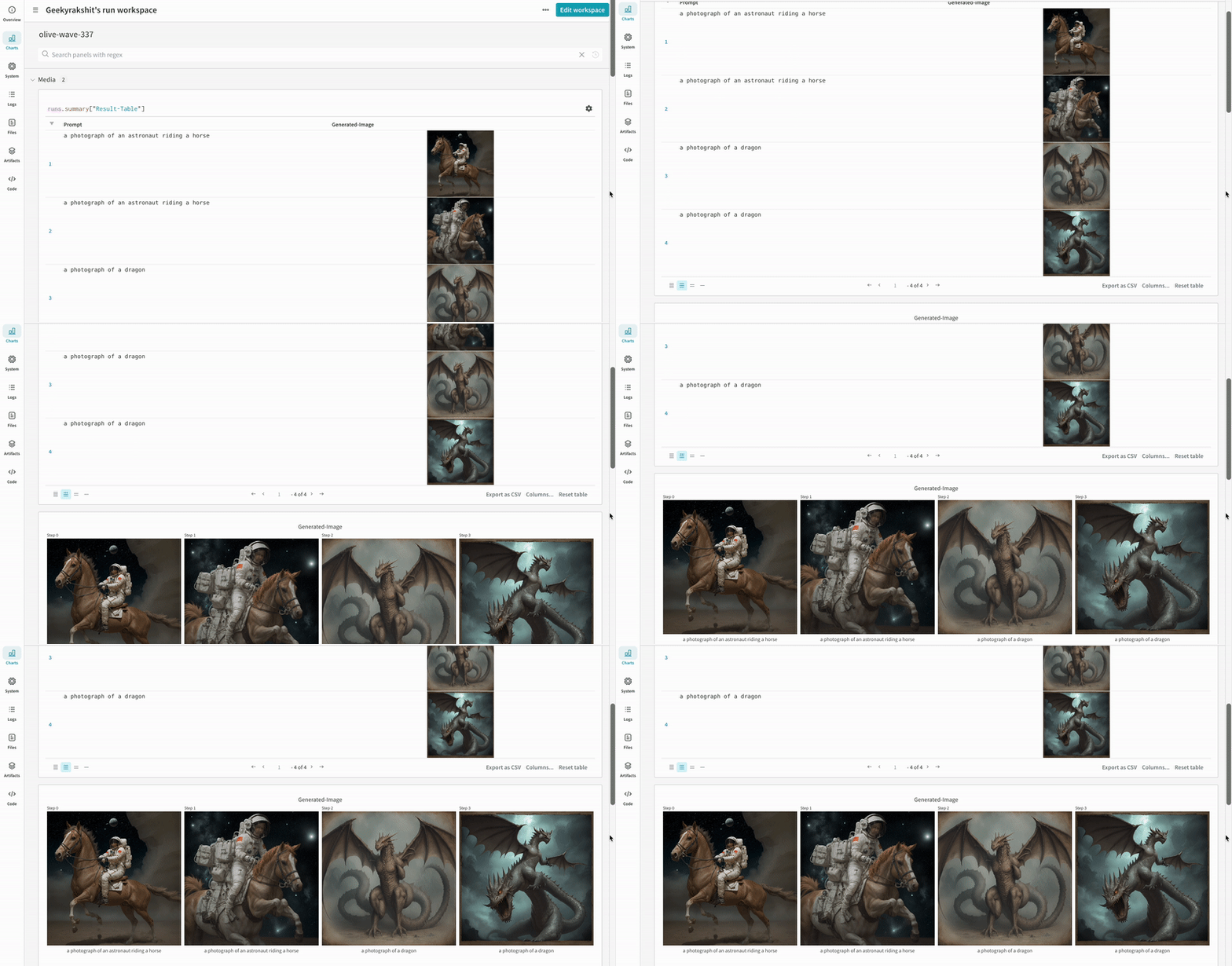
  • 1 回の実験の結果:
    実験結果のログ
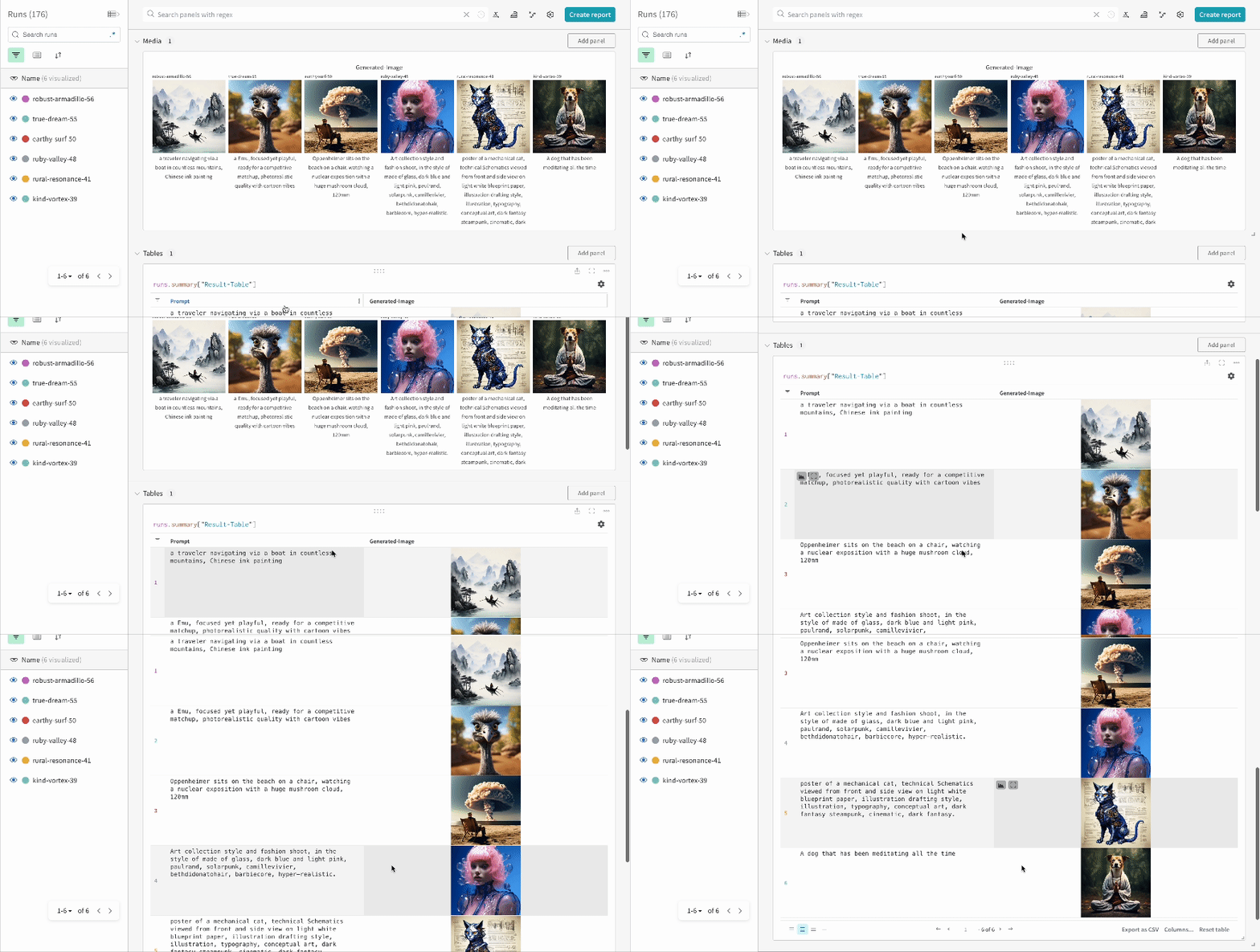
  • 複数の実験の結果:
    実験結果のログ
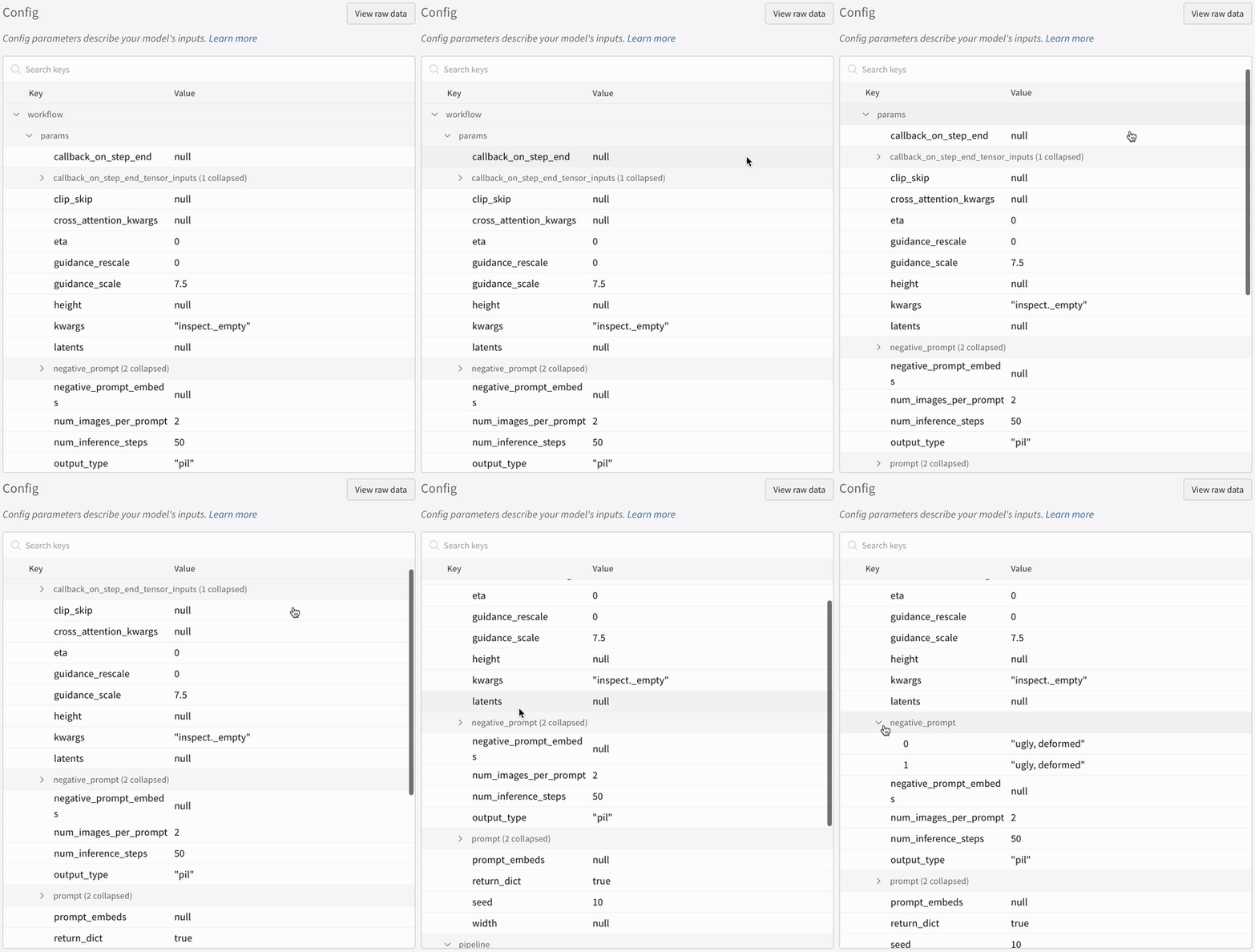
  • 実験の設定:
    実験設定のログ
IPython Notebook 環境でパイプラインの呼び出し後にコードを実行する場合は、wandb.Run.finish() を明示的に呼び出す必要があります。Python スクリプトを実行する場合は不要です。

複数パイプラインのワークフローをトラッキングする

このセクションでは、典型的な Stable Diffusion XL + Refiner ワークフローを例に、autolog を示します。このワークフローでは、StableDiffusionXLPipeline によって生成された latent を、対応する Refiner でさらに精緻化します。
import torch
from diffusers import StableDiffusionXLImg2ImgPipeline, StableDiffusionXLPipeline
from wandb.integration.diffusers import autolog

# SDXLベースパイプラインを初期化する
base_pipeline = StableDiffusionXLPipeline.from_pretrained(
    "stabilityai/stable-diffusion-xl-base-1.0",
    torch_dtype=torch.float16,
    variant="fp16",
    use_safetensors=True,
)
base_pipeline.enable_model_cpu_offload()

# SDXLリファイナーパイプラインを初期化する
refiner_pipeline = StableDiffusionXLImg2ImgPipeline.from_pretrained(
    "stabilityai/stable-diffusion-xl-refiner-1.0",
    text_encoder_2=base_pipeline.text_encoder_2,
    vae=base_pipeline.vae,
    torch_dtype=torch.float16,
    use_safetensors=True,
    variant="fp16",
)
refiner_pipeline.enable_model_cpu_offload()

prompt = "a photo of an astronaut riding a horse on mars"
negative_prompt = "static, frame, painting, illustration, sd character, low quality, low resolution, greyscale, monochrome, nose, cropped, lowres, jpeg artifacts, deformed iris, deformed pupils, bad eyes, semi-realistic worst quality, bad lips, deformed mouth, deformed face, deformed fingers, deformed toes standing still, posing"

# ランダム性を制御して実験を再現可能にする。
# シードはWandBに自動的にログされる。
seed = 42
generator_base = torch.Generator(device="cuda").manual_seed(seed)
generator_refiner = torch.Generator(device="cuda").manual_seed(seed)

# DiffusersのWandB Autologを呼び出す。これにより、プロンプト、生成画像、
# パイプラインアーキテクチャ、および関連するすべての実験設定がW&Bに自動的にログされ、
# 画像生成実験の再現・共有・分析が容易になる。
autolog(init=dict(project="sdxl"))

# ベースパイプラインを呼び出して潜在変数を生成する
image = base_pipeline(
    prompt=prompt,
    negative_prompt=negative_prompt,
    output_type="latent",
    generator=generator_base,
).images[0]

# リファイナーパイプラインを呼び出して精緻化された画像を生成する
image = refiner_pipeline(
    prompt=prompt,
    negative_prompt=negative_prompt,
    image=image[None, :],
    generator=generator_refiner,
).images[0]
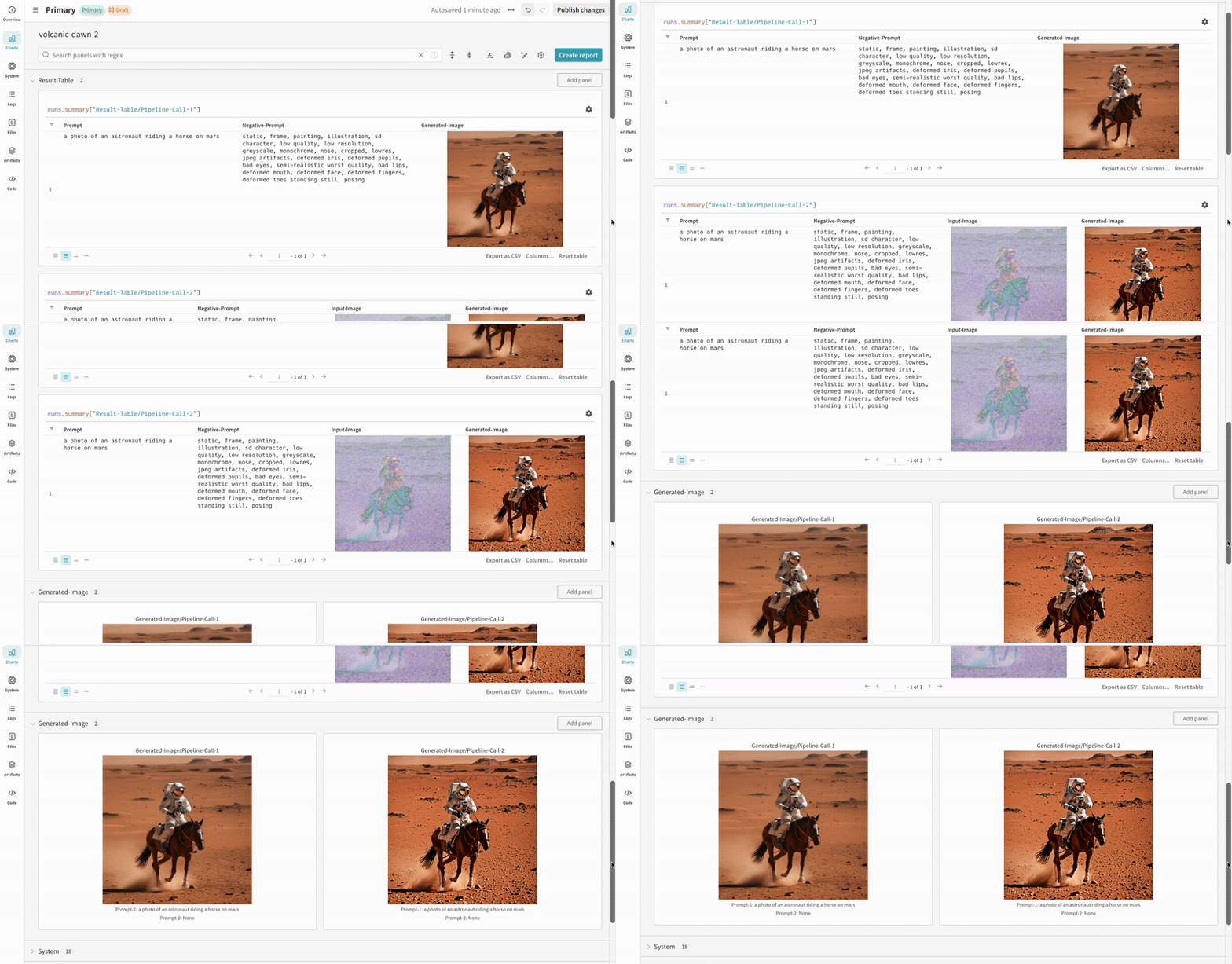
  • Stable Diffusion XL + Refiner の実験例:
    Stable Diffusion XL の実験管理

参考資料